USD INR ₹ 96.68
GBP INR ₹ 130.28
CAD INR ₹ 67.44
Articles

How to Send Money to the Philippines Using GCash

Updated on August 07, 2023 11:24 am
philippines flag

In an ever connected world, online money transfers are naturally the preferred and most convenient method for sending money across international borders, making it easier than ever to support your family, friends, or business partners in the Philippines.

Whether you're an OFW (Overseas Filipino Worker) or a person with ties to the Philippines, this blog will walk you through the step-by-step process of sending money through GCash, the Philippines’ leading mobile wallet, to effortlessly and securely send money to your loved ones.

Say goodbye to long queues and lengthy paperwork – and say hello to instant and accessible money transfers.

What is GCash?

Gcash is a mobile wallet and financial services platform based in the Philippines which came into operation in 2004. It was introduced by Mynt, a subsidiary of Globe Telecom, one of the Philippines’ major telecommunications companies.

GCash allows users to carry out various financial transactions, mobile payments, and services through their mobile phones, making it a convenient and efficient way to manage money.

You can make bank transfers, pay bills with QR codes, take out loans, and top-up airtime on your mobile phone. It is one of the most popular mobile wallets in the Philippines and the most convenient option for Overseas Filipino Workers (OFWs) to send money to their loved ones in the country.

With 81 million active users and 2.5 million merchants and sellers as of May 2023, GCash is truly the undisputed mobile wallet king in the Philippines.
Why Should You Get GCash?

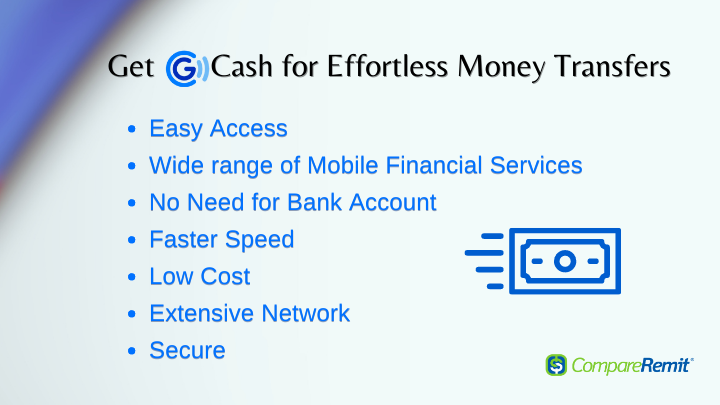
Why should you get GCash?

This is especially important for people who want to send money to the Philippines. GCash offers multiple benefits for sending money to the country:

Convenience: You only need a mobile app to send money to friends and family in the Philippines making it easily accessible and convenient. You need not go to any money transfer centers to make a money transfer.

Mobile Services: Apart from money transfers, it offers a wide range of financial services, such as bill payments, online shopping, and even investments.

No Need for Bank Account: Your recipient does not need a bank account to receive money through Gcash.

Speed: It is faster to send money to Gcash than traditional methods. Your recipient can receive the money instantly or within a few minutes, depending on the transaction type.

Lower Fees: Due to its lower fees, it is a cost-effective method to send money to the Philippines.

Extensive Network: Gcash has a vast network of partner merchants, banks, and money transfer companies in the Philippines, making it easy for the recipients to access and withdraw the money.

Security: Various security measures such as PIN verifications, fingerprint scanning, and two-factor authentication are put in place to protect users’ accounts and transactions.

How Does GCash Work?

To use GCash, you need to download the GCash app from the App Store or Google Play and sign up for an account. You will enter your personal details (mobile number, name, address), complete the customer verification process, and create a secure PIN.

After creating your account, you will need to fund your GCash Wallet. There are several ways to do this:

  • Link your bank account or credit/debit card to your GCash account
  • Deposit cash at GCash partner outlets
  • Receive money from other GCash users.

Once your GCash is funded, you can start using it for various transactions, such as:

  • Send money to other GCash users or non-GCash users through the “Send Money’ feature. This feature allows you to transfer money to family, friends, or anyone with a mobile number.
  • Pay bills for utilities, credit cards, and other services directly through the app
  • Purchase mobile prepaid loads for your phone or for your loved ones, as well as data packages from various telecom providers in the Philippines.
  • GCash can be used for online shopping on partner merchants’ websites and apps
  • GCash QR payment feature enables you to pay for goods and services in physical stores by scanning QR codes displayed by merchants.
  • Convert your GCash balance to cash by cashing out at partner outlets or through participating banks and ATMs.

How to Transfer Money to Philippines Using GCash?

The best way to send money to GCash, Philippines is through a digital money transfer platform. Gcash has partnered with several top online money transfer companies including Remitly, Skrill, Wise, WorldRemit, and Western Union among others.

These platforms allow you to send Philippine Pesos (PHP) to Gcash in an affordable, quick, and efficient manner.

How to Send Money to Gcash Mobile Wallet via an Online Money Transfer App?

Here are the steps to follow:

  • Sign up on any of the third-party money transfer apps or platforms
  • Enter your personal details
  • Get your account verified
  • Enter transfer amount
  • Enter your recipient's country
  • Choose GCash as your delivery method
  • Enter the recipient’s GCash-registered name & account number
  • Confirm your transfer
  • Pay for the transfer
  • Pesos will be deposited to the recipient’s GCash Account

Money Transfer Platforms Offering GCash as a Delivery Option

Wise

Using Wise, you can send PHP to any individual or business bank account in Philippines or mobile money to any of the several mobile wallets such as GCash, PayMaya, GrabPay, Starpay, etc. To send money to mobile wallets, you'll need your recipient's mobile number, starting with the country code +63. The maximum limit for money transfers to bank accounts and mobile wallets is 9 million PHP per transfer and 50,000 PHP per transfer respectively. It may take 1-2 working days to complete the transfer.

Remitly

You can do a Remitly transfer to GCash via Mobile Money in the Philippines. Remitly offers two ways to transfer money to Gcash wallets in Philippines based on how you pay for the transfer. Using a debit card (Express) to pay will take a few minutes for the money transfer while it may take 3-5 business working days if you pay via than bank account (Economy). The GCash wallet limit is PHP 100,000. Make sure you have sufficient funds availability in your account to do the transfer. Remitly is the optimal choice to send GCash from USA if you are looking to make fast and secure mobile payments.

WorldRemit

WorldRemit facilitates mobile money transfers to several mobile wallets in the Philippines including GCash. The cash is deposited within minutes. You can send up to PHP 50,000 per transfer and a maximum of PHP 100,000 total remittances per month to the mobile wallet. To avoid delay in transfer, make sure your recipient's details are correct. WorldRemit might be your cheapest option as they often charge no fixed fees, but this depends on the sending country. In the case of top-sending countries like the USA, the company does not charge fixed fees.

Western Union

Western Union is a well-known international money transfer service that has partnered with GCash to facilitate remittances to the Philippines. To initiate a transfer, you can simply go to your GCash account and proceed to the Cash-In segment within the GCash App and opt for Western Union as your preferred money transfer option. Or you can either go to a Western Union Branch or their website to make the transfer. You will find that sending money to a mobile wallet, GCash is less expensive than sending cash to a pickup location.

MoneyGram

MoneyGram, a well-established money transfer company is also a GCash partner, enabling users to receive international remittances directly into their GCash wallets. To send money directly to GCash wallet, either go to the MoneyGram website or any agent location. Provide your recipient's details and select 'Mobile Wallet as your delivery option. Both you and your recipient will receive a notification once the money is sent.

Xoom

By partnering with GCash, Xoom enables users to effortlessly transfer funds to GCash accounts. To start the transfer process from Xoom to GCash, download the Xoom app, and create an account. Then, enter the transfer amount and choose GCash as the receiving option, provide the details of your recipient's mobile wallet, and pay for your transfer using a PayPal account, bank account, credit card, or debit card.

Xoom may be a popular option for transferring funds to GCasg, however, they are a little expensive due to transfer fees and exchange rate margins. Look for cheaper alternatives on our list.

Pangea

Pangea provides global money transfers to regions in Latin America and Asia. Through their mobile app, you can make the payment and use your linked bank account or debit card to pay for the transaction. If you pay using a card to transfer money for pickup, your recipient will receive the funds within minutes, while selecting a bank transfer method will take a little longer.

Skrill

By leveraging its digital wallet expertise, Skrill offers users a secure and efficient way to send money to GCash, contributing to the financial accessibility of recipients in the Philippines. Skrill offers various ways to transfer money to GCash including bank account transfer, payments via debit card or credit cards, and letting you choose mobile money transfer. Opting for bank transfers is typically the cheapest, allowing you to send funds from your bank account to a GCash wallet at a lower cost compared to other payment methods. However, the transfer will take a little longer.

Note: The availability of GCash GCash as a delivery option on the above money transfer platforms can differ due to variables like the sender's location, the platform's offered services, and potential shifts in partnerships. It's recommended to visit the platform's website or app prior to utilizing any money transfer service to verify the current selection of delivery methods and choices for sending money to the Philippines.

What is the Cost of Transferring Money to GCash?

The cost of transferring money to GCash can vary depending on the service provider, the country you are sending money from, the transfer method you choose (bank transfer, debit/credit card, etc.), the amount being sent, and any applicable fees for currency conversion or processing. Different remittance platforms and financial institutions might have different fee structures.

Carefully review the terms and fee information provided by the specific service you plan to use to determine the exact cost of the transfer to GCash. Keep in mind that some providers may offer promotions or fee waivers for certain transactions or during specific timeframes.

How to Claim Your Remittance on the GCash App?

  • Open GCash app homepage
  • Go to ‘Cash-In”
  • Under the Global Partners, & Remittance
  • Click the money transfer company you sent the money with
  • Enter the amount of remittance to be received
  • Enter the Reference number
  • Confirm the Transfer
  • The funds will be loaded into the GCash wallet

Where Can You Cash-Out with GCash in the Philippines?

You can withdraw funds through several options in the Philippines. If you have a GCash Mastercard, you can visit any BancNet or Mastercard ATM, or any GCash Partner Outlet.

Here is the list of the GCash Partner Outlets:

  • Cebuana Lhuillier
  • CVM Pawnshop
  • DA5
  • ECPay
  • ExpressPay
  • HanepBuhay
  • Jaro Pawnshop
  • Panalo Express
  • PeraHUB
  • Posible
  • Puregold
  • Robinsons
  • SM Store
  • Tambunting Pawnshop
  • TrueMoney
  • Villarica Pawnshop
  • VIP Payments Center

The steps for cashing out might be different with each partner outlet. You can look it up in the GCash App.

How GCash Exchanges Currency?

GCash is primarily not a currency exchange platform. The currency exchange is usually handled by the money transfer provider or financial institution initiating the money transfer to the Philippines from abroad.

For example:

  • If you are sending money from abroad to a GCash mobile wallet in the Philippines, your transfer providers will likely handle the currency conversion from the currency you are sending to Philippine Pesos based on the prevailing exchange rates.
  • The converted amount in PHP will be deposited to the recipient’s GCash wallet.

However, GCash may display the received amount in both the sender’s currency and PHP within the app for the recipient’s reference.

If you want to get the best exchange rates while sending money to the Philippines or abroad, the best way is to compare your options. To compare the best rates to send money to the Philippines using Gcash, use our online comparison tool to check the best providers today!

 137774 views
Rate article:
(3.0)
 
 
Money Transfer FAQ's
Related Articles
the-best-way-to-convert-pkr-to-usd-today
The Best Way to Convert PKR to USD: Check Today's Rate

When managing your finances across borders, especially for family support or international business, understanding currency exchange is crucial. If you are looking to convert PKR to USD, you've come to the right place. Millions of individuals and small business owners are regularly seeking the best rates and most efficient services to convert their money. In this article, we'll help you find the best Pakistani rupee to US dollar exchange rate. We'll also guide you in converting PKR to USD, ensuring you get the most value for your money.Pakistani Rupee to Dollar Rate TodayThe exchange rate between the Pakistan rupee to USD is a dynamic figure, constantly shifting due to a variety of global and local economic factors. 1 PKR to USD represents how much of a dollar you can get for 1 PKR. Similarly, the currency rate of the Pakistani rupee to the USD shows how many Pakistani rupees are equivalent to 1 USD.As of now, 1 PKR is approximately 0.0035 USD. This means 1 USD is roughly 284.3 PKR. The fluctuating nature of exchange rates makes it important to check the most up-to-date Pakistani rupee to dollar rate before initiating any transfer.What Influences the PKR to USD Exchange Rate?So, why do exchange rates fluctuate? Read on to know the factors behind the change in the currency rate of the Pakistan rupee to the US dollar. Understanding this can help you pick the right time to convert PKR to USD and get a better value.Inflation: When prices rise quickly in Pakistan, the value of the rupee tends to fall. As a result, you get fewer USD in exchange for your rupees. Keeping an eye on inflation trends can help you decide when to send money.Interest rates: Interest rates set by the State Bank of Pakistan and the US Federal Reserve influence the strength of each currency. Higher interest rates often attract foreign investors. This increases demand for the local currency, which can make it stronger.Economic and political stability: If Pakistan’s economy is growing and the political situation is stable, the rupee tends to do better. But if there's uncertainty, such as high unemployment or unstable leadership, the rupee may weaken. This directly affects the currency rate of the Pakistani rupee to the US dollar.Trade balance: When Pakistan imports more goods from the US than it exports, there's more demand for US dollars in the market. This can lower the value of the rupee compared to the dollar.National debt: A country with high debt can seem risky to investors. If Pakistan's debt levels increase, it may cause the rupee to depreciate, making it more expensive to convert PKR to USD.Global events: Events like wars and natural disasters or big changes in government policies can shake up currency markets. These events often lead to sudden changes in the Pakistani rupee to US dollar rate.PKR to USD: History and Forecast 2025 The Pakistani Rupee to US Dollar conversion has seen a pattern of gradual depreciation over the years, although 2025 has shown signs of relative stability. Looking back, the Pakistani rupee to dollar rate today is slightly stronger than its 2025 high of ₨ 293.33 recorded in March, but weaker than its January low of ₨ 278.48. Overall, the 2025 average exchange rate is about ₨ 280.96, according to year-to-date data. These figures reflect only minor fluctuations in the currency rate of PKR to USD, suggesting a more controlled foreign exchange environment last year.MonthRange (₨ per $1)Consensus Avg.August281.3 – 292.8287.0September281.6 – 293.1287.3October280.4 – 291.9286.2Nov–Dec280.8 – 292.3286.5The Pakistani rupee to dollar exchange rate today is relatively steady, thanks to improved economic management, monetary controls, and some external financial support. However, the conversion of PKR to USD value may still be influenced by inflation, global oil prices, and domestic political developments.Overall, if you're planning to convert Pakistani rupees to US dollars in 2026, you're likely to experience relatively stable rates, especially in the ₨ 285–₨ 290 per USD range. How to Convert Pakistani Rs to US Dollars: Your OptionsWhen you need to convert Pakistani rupees to US dollars, you have several avenues available, each with its own advantages and disadvantages concerning exchange rates, fees, and transfer speed.Online money transfer servicesOnline money transfer services have become increasingly popular for their convenience, competitive rates, and lower fees compared to traditional banks. These platforms specialize in international remittances, often offering better Pakistan rupee to US dollar conversion rates.They generally offer better exchange rates and lower fees. Transfers are often faster, with many services providing same-day or next-day delivery. They are accessible 24/7 through websites or mobile apps. While typically cost-effective, fees can vary between providers and for different transfer amounts. It’s always wise to compare.BanksTraditional banks offer international money transfer services, which can be a familiar option for many. Banks are often seen as a secure and reliable option, especially for large transfers. If you or your recipient already has an account with the same bank, transfers might be quicker.Banks in Pakistan or banks in general often have higher transfer fees and may offer less competitive exchange rates, including a hidden markup on the interbank rate. This can mean your recipient receives fewer USD for the same amount of PKR. Transfer times can also be longer.Currency exchange bureausFor smaller, in-person conversions, currency exchange bureaus are an option. These are convenient for immediate cash conversions when traveling.Exchange rates at these bureaus can be less favorable than those offered by online services or banks, and they may charge additional commissions or fees. They are not ideal for sending money internationally to a recipient's bank account.Getting the Best Pakistani Rupee to US Dollar Exchange RateFinding the best Pakistani rupee to US dollar exchange rate can significantly impact the amount of US dollars your recipient receives. Here's how you can maximize your transfer:Compare exchange rates: Exchange rates fluctuate, and different providers offer different rates. The Pakistani rupee to dollar rate today from one provider may differ from that of another provider tomorrow. Use comparison platforms to see real-time rates from various providers side by side.Look beyond zero fees: Some money transfer services say they charge zero fees or no commission. It’s important to check the currency rate they are offering in such cases. Many a time, the service makes a profit by giving you a lower exchange rate. So even if you don’t see a fee, your recipient might still end up with less money.Understand the mid-market rate: It’s the halfway point between the buying and selling rates that banks use to trade with each other. Most money transfer services don’t use this exact rate; they add a markup. By knowing this rate, you can compare and see how much extra a provider is charging.Consider transfer fees: Beyond the exchange rate, transfer fees can eat into your money. Some providers have flat fees, while others charge a percentage of the transfer amount. For larger transfers, a percentage-based fee might be more expensive.Time your transfer: If you are not in a hurry, monitoring the Pakistani rupee to US dollar rate can help you send money when the rate is most favorable. Even small improvements in the exchange rate can make a difference for significant transfer amounts.Check for promotions: Many money transfer services offer promotional rates or reduced fees for first-time users or specific corridors. Keep an eye out for these deals.Your Next Step for Smart Money TransfersUnderstanding how to convert PKR to USD is just the first step. The real magic happens when you can effortlessly compare your options and secure the best deal. With fluctuating exchange rates and varying fees, comparing providers is essential to ensure more of your money reaches its destination.This is where CompareRemit comes in. Our platform empowers you to compare various remittance providers side by side, giving you real-time data on exchange rates, fees, and transfer speeds. Instead of manually checking multiple websites, you can find the most cost-effective and efficient way to send money.Start comparing now and experience how simple and rewarding international money transfers can be.Frequently Asked Questions (FAQs)Q: Why does the Pakistani Rs to US dollar conversion rate change?The conversion rate from Pakistani rupee to US dollar fluctuates due to factors such as inflation, global oil prices, political stability, trade balances, and interest rate differences between the US and Pakistan.Q: What has been the highest exchange rate for the Pakistani rupee ever?The highest exchange rate for the Pakistani Rupee (PKR) against the US dollar, which actually means the lowest value of the PKR, was in September 2023, when 1 USD equaled 307.75 PKR. Q: How can I get the most value when transferring PKR to USD?To get the best Pakistani rupee to US dollar rate today, monitor trends regularly and use rate comparison tools. Sending money when the PKR is strong or the USD is weak can also help maximize value.Q: Will the Pakistani rupee get stronger?The Pakistani rupee has shown periods of strengthening, notably in late 2025, due to factors like an extended IMF loan program, government crackdowns on currency smuggling, rising remittances, and improved foreign exchange reserves. However, its future strength depends on various factors.Q: What is the limit to convert PKR to USD?Limits to convert Pakistani Rs to US dollars depend on the specific money transfer service or bank you use and the relevant regulations in both countries.

dollar-to-php-exchange-rate-today
Dollar to PHP Rate Today for Remittances

In the Philippines, remittances are lifelines for millions of families. Every dollar sent helps cover essentials like household expenses, school fees, business needs, or unexpected emergencies. Understandably, then, even slight shifts in the exchange rate can make a significant difference for Overseas Filipino Workers (OFWs) and others sending money back home.In this comprehensive guide, we cover everything from the US dollar to the PHP peso exchange rate today, to why rates fluctuate, and how you can make the most of your remittances.US Dollar to PHP Peso Exchange Rate TodayThe US Dollar to PHP Peso exchange rate today is approximately PHP 55.85 per $1 USD. For the most accurate and up-to-date rates, please visit the Bangko Sentral ng Pilipinas (BSP) website.Why Don’t You Always Get the Rate You See?While the BSP’s official rate provides a good reference point, most remittance services and currency exchange platforms don’t offer that exact rate to consumers. Instead, they apply a markup. This means that the rate you get is slightly lower than the one you see.For instance, if the mid-market rate is PHP 56 per $1, a remittance provider might offer you only PHP 55.20 or even PHP 55, depending on their profit margins. Additionally, many also charge a separate transfer fee, which further reduces the amount your recipient ultimately receives.Understanding the Mid-Market RateThe mid-market rate, also known as the interbank rate, is the rate at which banks and financial institutions exchange currencies with one another. It's considered the "real" exchange rate, but it's not typically what consumers get.Here's where platforms like CompareRemit become incredibly useful. They show current dollar exchange to Philippine peso rates as well as transfer fees from multiple providers side by side. Viewing these together helps you choose the most cost-effective option for sending money to the Philippines.USD to PHP Exchange Rate History (2024)The year 2024 began with the US dollar trading at around PHP 55.80. Over the course of the year, the peso weakened, and the exchange rate peaked at PHP 59.435 on December 18, 2024. That’s roughly a 6% to 7% increase, highlighting how currency fluctuations can significantly impact remittances and import costs.How Are Things Looking in 2025?As of June 2025, the USD to PHP exchange rate stands at approximately PHP 55.68. The highest rate so far this year was PHP 59.009 on January 10, while the lowest was PHP 55.350 on May 25. This shows some volatility. But overall, the peso has regained some strength since the start of the year.USD to PHP Outlook: What to Expect Next?Forecasts for the USD to PHP exchange rate over the next year vary widely. Some analysts expect the peso to strengthen, potentially pushing the rate closer to PHP 48.86 by mid-2026. Others anticipate it hovering around PHP 58.69 by the end of 2029, pointing to long-term depreciation.Highest Dollar Exchange Rate to PesoThe highest dollar exchange rate to peso was recorded in December 2024, when the Philippine peso dropped to approximately 59–60 PHP per US dollar. This spike was driven by factors such as uncertainty around the US presidential election and interest rate policies from the US Federal Reserve. Additional factors included the Bangko Sentral ng Pilipinas’ interest rate cuts and rising inflation expectations in the Philippines. Global geopolitical tensions also boosted demand for the dollar, further weakening the peso.When is the Best Time to Send Money to the Philippines?In general, it's best to send money when the peso is weak against the dollar. This will give you a higher dollar-to-peso PHP exchange rate and allow your recipient to receive more pesos for every dollar you send. So, weakening of the peso works in favor of Filipinos working in the US.Remember, keeping an eye on these trends and using comparison platforms like CompareRemit can help you time your transfer smartly and maximize its value.Practical Tips to Get the Best Exchange Rate When Sending Money to the Philippines1. Compare money transfer service providersDon’t rely on a single provider every time. Use CompareRemit to evaluate different money transfer services. With it, you can instantly check:Real-time dollar to peso PHP exchange rate todayThe best transfer feesFastest transfer speedsCompareRemit even lets you compare transfer services in tabular format. Click on “FIND THE BEST RATES,” select the service, and choose compare.2. Look for a locked-in exchange rateSome providers allow you to lock in the exchange rate at the time of the transaction. This protects you from rate drops and ensures your recipient gets the expected amount, even if the transfer takes a few hours or days to complete.3. Time your transfers strategically The US Federal Reserve and geopolitical events influence interest rates. These include elections and conflicts, and can significantly affect the US dollar to PHP peso exchange rate. Use CompareRemit to monitor rates, as well as the best timing for your transfers. 4. Adjust your strategy for small vs. large transfersFor smaller amounts, aim for low or zero transfer fees. For larger transfers, prioritizing a competitive exchange rate is important, as it can help you save thousands of pesos.  5. Check for full creditSome platforms may offer zero fees but may deduct some amount from what you're sending. Confirm all charges beforehand so that your recipient gets the full credit. 6. Avoid weekend transfers Foreign exchange markets are closed on weekends. Unless it is very urgent, avoid sending any money during weekends.7. Choose the right payment methodPaying via bank transfer or Automated Clearing House (ACH) is often more cost-effective than using a credit or debit card, which may incur additional processing fees.  How to Use the CompareRemit Platform and App for Remittances?You can visit the CompareRemit website directly to find money transfer service providers and compare them on various fronts. If you prefer using your smartphone for easy access, download the CompareRemit app from the Google Play Store or the App Store. After setting up your profile: Go to the USD to PHP rate comparison page.Confirm USD as the sending currency and the Philippines as the receiving country.Enter the amount you wish to send.Click on "FIND THE BEST RATE".Instantly view multiple providers and compare their rates, transfer fees, transfer time, and final PHP received.Select the best option you find fit and click on "Learn More" to continue your transfer on the provider's website.Once you have done your due diligence and chosen a service provider on CompareRemit, you can proceed with the money transfer process. Here's how:Register an account with your selected service.Provide ID and address proof for verification.Add your preferred payment method.Enter your recipient’s details.Select how the money should be delivered (e.g., bank deposit or cash pickup).Enter the transfer amount and confirm the transaction.Make the payment using your preferred method.You’ll receive a confirmation once the transfer is complete.Send USD to PHP With ConfidenceAs you plan your next transfer to your recipients in the Philippines, consider the current dollar exchange rate to the Philippine peso and decide what factors are most important to you: speed, the most value for money, or the least amount of fees.Don’t forget to use the CompareRemit calculator to simplify your remittance process; get access to transparency and peace of mind for your hard-earned money.Frequently Asked Questions (FAQs)Q: How do I know if I am getting a good USD to PHP exchange rate when sending money?You can check the mid-market rate on Google or financial websites like XE or Bloomberg, then compare it to what your remittance service is offering. If the gap is significant, you might not be getting the best deal.Q: Is it better to send money through a bank or a money transfer service?Bank transfers are safe and secure, but can be slow and may offer less favorable exchange rates or higher fees. Money transfer services, on the other hand, often provide faster delivery, better rates, and more options, such as cash pickup or mobile wallet transfers. This makes them a more cost-effective choice for many senders.Q: What additional charges should I watch out for when transferring money internationally?Beyond the transfer fee, be aware of exchange rate markups, receiver-side bank fees, or service charges for specific payment methods, such as credit cards. Q: Is it better to send money directly to a bank account or for cash pickup in the Philippines?Bank account deposits are usually cheaper and more secure for recurring transfers or larger amounts. Cash pickups are useful when recipients lack access to a bank, need money urgently, or reside in rural areas. However, cash pickup services might charge more or offer slightly lower exchange rates.Q: Do remittances from the US to the Philippines get taxed?Generally, personal remittances sent to family members in the Philippines are exempt from tax. However, large transfers, business-related payments, or frequent high-value remittances may invite scrutiny and taxes under local or international laws.Q: What happens if the exchange rate drops after I initiate a transfer?If your remittance provider doesn't offer a locked-in rate, the amount your recipient gets may be lower if the exchange rate falls before the transfer is processed. Choose services that allow rate locking, which ensures the agreed-upon rate holds even if there are fluctuations during the transfer time.

money being exchanged into foreign currency
Best Ways to Skip Foreign Transaction Fees Abroad

Using your card overseas might feel convenient at first, but extra charges can quickly add up. Each international purchase can slowly eat into your budget due to foreign transaction fees. These charges, usually between 2.5% and 3.5%, may appear small, but they can take a noticeable toll on your spending when traveling abroad.For instance, if you use your card for a $1,000 purchase abroad, you could unknowingly pay up to $35 more. Do that a few times, and the extra costs can add up fast.This is why it helps to plan ahead. Knowing how foreign transaction fees work and where they come from can help you avoid them and better manage your travel spending. Up next, we’ll share seven practical ways to keep these charges away.7 Ways to Avoid Foreign Transaction FeesForeign transaction fees are extra charges applied when you buy something outside your country or use a different currency. Your card provider usually adds these fees when the payment goes through an international network or involves converting currencies.Here are some of the most effective ways to reduce or remove these unnecessary charges:1. Skip currency exchange at airports or hotelsWhile it may seem convenient, exchanging currency at airports or hotels usually means getting poor rates. These counters often include high markups, which reduce the actual value you receive.For instance, if the market rate is 1.10 units of foreign currency for 1 unit of your currency, airport rates may drop to 1.05 or lower. That small gap can cost you more during bigger exchanges.Instead, consider using trusted forex outlets in the city or authorized digital apps that allow you to lock in better rates before you travel. A little research, along with tools like CompareRemit, can help you track better rates in advance.2. Exchange currency in major cities rather than tourist areasAfter deciding against exchanging money at airports or hotels, the next wise step is choosing the right location. Where you exchange your currency matters more than most people think.Tourist-centric areas and remote spots usually have fewer exchange options, resulting in less competition and higher rates. In contrast, big cities often have more authorized money exchangers, offering better rates and clearer pricing.Before traveling, take a few minutes to look up and compare rates in the city you’re visiting. This simple step can help you hold on to more of your money.3. Make smaller, strategic ATM withdrawalsOnce your currency exchange is settled, it’s smart to think about how you’ll access cash during your trip. Using ATMs overseas can be convenient, but only when approached with care. Many foreign ATMs charge both a flat fee and a percentage-based currency conversion cost.To get better value, try withdrawing slightly larger amounts less often, instead of making several small withdrawals. Choose ATMs linked to trusted networks like Cirrus or Visa Plus, and use machines located inside bank branches for added security and fewer hidden charges.If you ever need to send money back home quickly, consider digital transfer methods to save both time and extra costs.4. Opt for credit cards with low or no foreign transaction feesWhile ATMs are great for managing cash, your card expenses need equal attention. Many credit cards quietly charge foreign transaction fees each time you spend abroad. Over the course of a trip, those small charges can quickly add up to a substantial sum.A smarter move is to opt for a credit card that includes travel Insurance for international use. Several providers, and even some banks, now offer cards with zero or low forex markup. Many of these come with added travel perks like built-in travel insurance, airport lounge access, and even interest-free cash withdrawals.For regular travelers, such cards offer more than just ease of use. They help you save money and improve your travel experience. Taking time to explore card options before your next trip can go a long way in avoiding those extra costs.5. Carry cash or use prepaid forex or travel cardsCarrying some local currency before your trip gives you better control over exchange rates and helps you avoid expensive last-minute exchanges. Cash is also useful in places where cards aren’t widely accepted.To protect your money, consider splitting it into smaller amounts and storing it in different places, such as your wallet, a money belt, or a hotel locker. This lowers the risk of losing everything at once.Alternatively, prepaid travel cards offer a convenient middle ground. You can load them with foreign currency at fixed rates ahead of time and use them just like debit cards abroad. Choosing a prepaid card with no foreign transaction fees can help you save even more by avoiding extra charges with every swipe. Still, be sure to check for hidden charges, like inactivity or ATM fees, and compare them with credit card fees to choose what suits you best.6. Buy foreign currency from your bank before you travelBanks usually offer better exchange rates than airport kiosks or hotels. Getting your foreign currency early from your bank is often a smart and cost-effective option. You can do this through internet banking, mobile apps, or by visiting a nearby branch. Since the process can take a few days, it’s best to plan if you have travel dates confirmed.Understanding how international currencies work and how rates shift can be useful when deciding when to exchange. This helps you avoid last-minute issues with poor rates. To easily check and compare rates before buying, tools like CompareRemit’s currency comparison can guide you in making clear and confident choices.7. Skip traveler’s checks as they’re largely obsoleteTraveler’s checks were once a reliable way to carry money overseas, but they’re now rarely used. Most places no longer accept them, and cashing them can be slow and inconvenient. They often come with extra fees and don’t offer the flexibility of modern tools.Today, better options include multi-currency cards, digital wallets, and credit cards with minimal or no foreign transaction fees. Unless you’re going somewhere extremely remote where they’re still useful, it’s better to avoid traveler’s checks altogether.Bonus Tip: Best Debit Card with No Foreign Transaction Fees for Global UseCredit cards are often used for travel, but many people choose not to rely on them abroad, which is completely understandable. Several banks now offer the best debit cards with no foreign transaction fees, specifically designed for international use. These cards let you shop and withdraw cash overseas without unexpected fees, making them a smart choice for budget-minded travelers.  Key features to consider when picking a card are:Membership in international ATM networksNo foreign exchange markupLive currency conversion ratesSome cards even come with added perks like travel insurance or emergency card replacement, helping you travel smarter without relying solely on credit. Apart from debit and credit cards, you can also explore some reliable apps for international money transfers to send money abroad safely and efficiently when needed.Keep More of Your Money While Exploring the WorldTravel should be about new experiences and making memories, not worrying about hidden fees nibbling away at your budget. With a little foresight and a better understanding of how currency exchange works, you can travel more confidently and spend without those nagging extra charges.Each step adds up to big savings, such as choosing a zero-forex-markup card, avoiding airport kiosks, or comparing exchange rates before you go. Platforms like CompareRemit make it easier to spot the best rates and smarter ways to send or spend money overseas. So before your next trip, plan meticulously, and let your finances travel as smartly as you do.Frequently Asked Questions (FAQs)Q: Do all banks charge foreign transaction fees by default?Many traditional banks still charge foreign transaction fees, but not all. Some newer online banks and fintech services offer cards and accounts meant for global use, which often come with zero forex markup or no foreign fees.Q: Are mobile wallets like Apple Pay or Google Pay free of foreign transaction fees?The fees depend on the card connected to the wallet. Mobile wallets themselves don’t charge extra, but if your linked debit or credit card includes foreign transaction fees, those charges will still apply when used abroad or in a different currency.Q: Do travel insurance plans cover losses from foreign transaction fees?Most travel insurance policies do not cover foreign transaction fees. These plans typically handle medical emergencies, missed trips, and baggage issues. Banking fees like these are not part of their coverage.Q: Are there any extra charges in prepaid travel cards?Some prepaid travel cards may include additional charges, such as reload fees, ATM withdrawal costs, inactivity penalties, or currency conversion charges, when used outside the loaded currency. Always review the fee structure before choosing.Q: How do foreign exchange rates fluctuate during travel?Exchange rates shift daily due to global market conditions, supply-demand balance, and central bank actions. Tools like XE or CompareRemit can help track these changes and guide currency conversion at the right time.

Download the CompareRemit App
Personalize your CompareRemit experience with your preferred corridor and receive target exchange rate notifications, seamless transitions to partner apps, and real-time comparisons of top remittance providers at your fingertips.

Get Listed or Advertise

Download Our Free App

Try our faster, enhanced mobile app for a better experience

CompareRemit App